 DevMap
Product · Workspaces
Every project on your machine, in one table.
Development folders fill up quietly. Workspaces lists each project DevMap finds with the facts you would otherwise check one terminal at a time.
The problem
Context is scattered.
Which repo has uncommitted work? Which one has no remote? What is taking space? The answers live in different tools and different folders. DevMap reads them once and puts them side by side.
How it works
Read the table, then go deeper.
Scan the summary strip
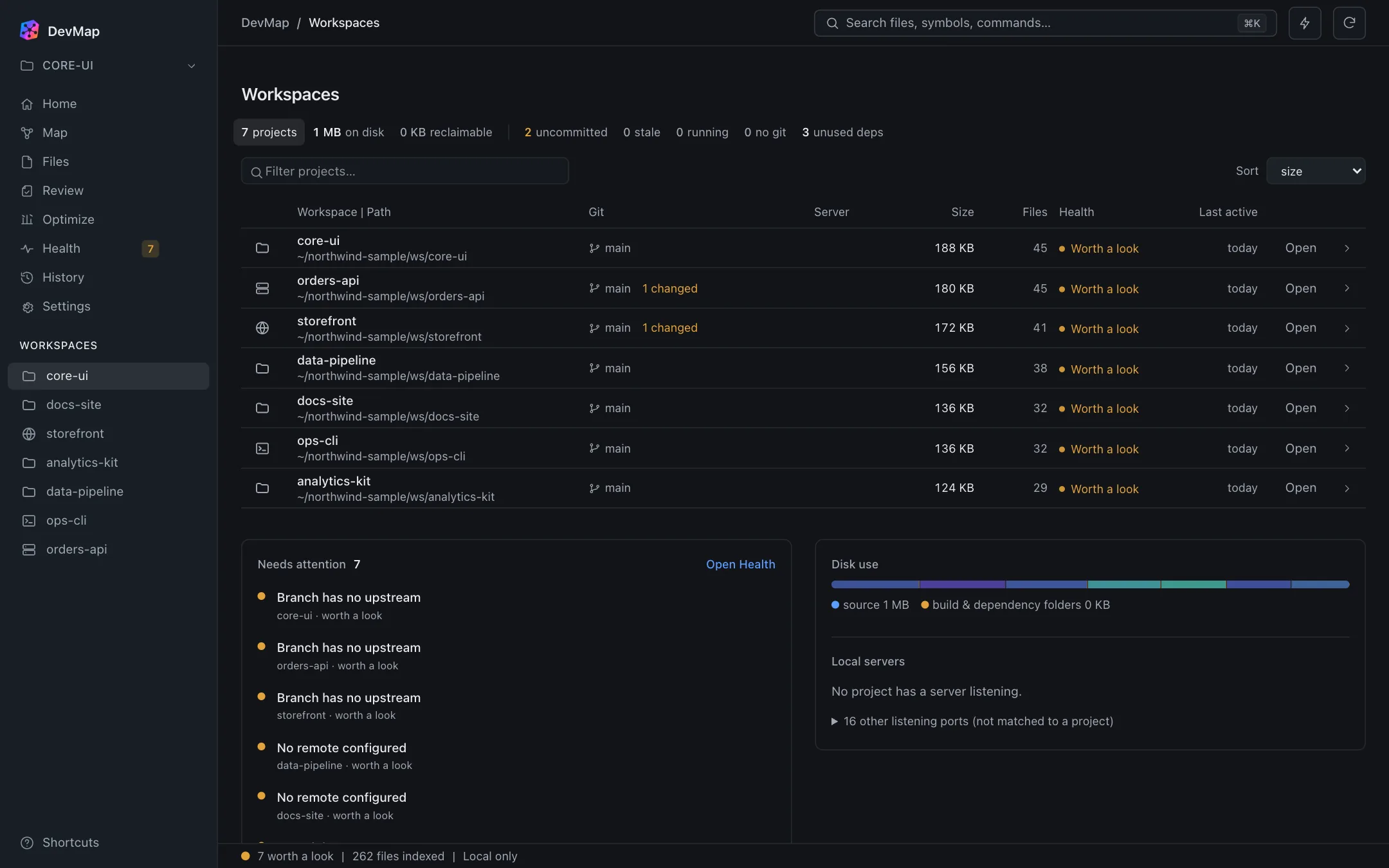
Across the top: how many projects were found, their size on disk, and counts for uncommitted, stale, running and no-git projects, plus unused dependencies.
Filter and sort
Type in the filter box to narrow the list, and sort by size or other columns. Each row shows the project path, git branch and number of changed files, size, file count, a health state and when it was last active.
Open a project
Open takes you into that project. The workspace list in the sidebar switches the project that Map, Files and Health are about.
See what needs attention
Below the table, a Needs attention list collects findings across projects, and Disk use and Local servers show where space goes and which projects have a server listening.
What you get
Practical benefits
One overview, many projects
The seven sample projects are listed with the same columns, so differences are visible at a glance.
Git state without opening git
The branch and the count of changed files are shown on the row, with last activity next to them.
Servers matched to projects
Ports that belong to a project are shown against it. Other listening ports are collected separately and are not matched to a project.
Search from anywhere
The search field looks across files, symbols and commands, and opens with ⌘K.
When it helps
Before you switch tasks.
You have a week of side branches across several repositories. Workspaces shows which ones still have changed files and which branches have no upstream, so you decide what to commit or push first.