 DevMap
Workspaces
Every project, side by side.
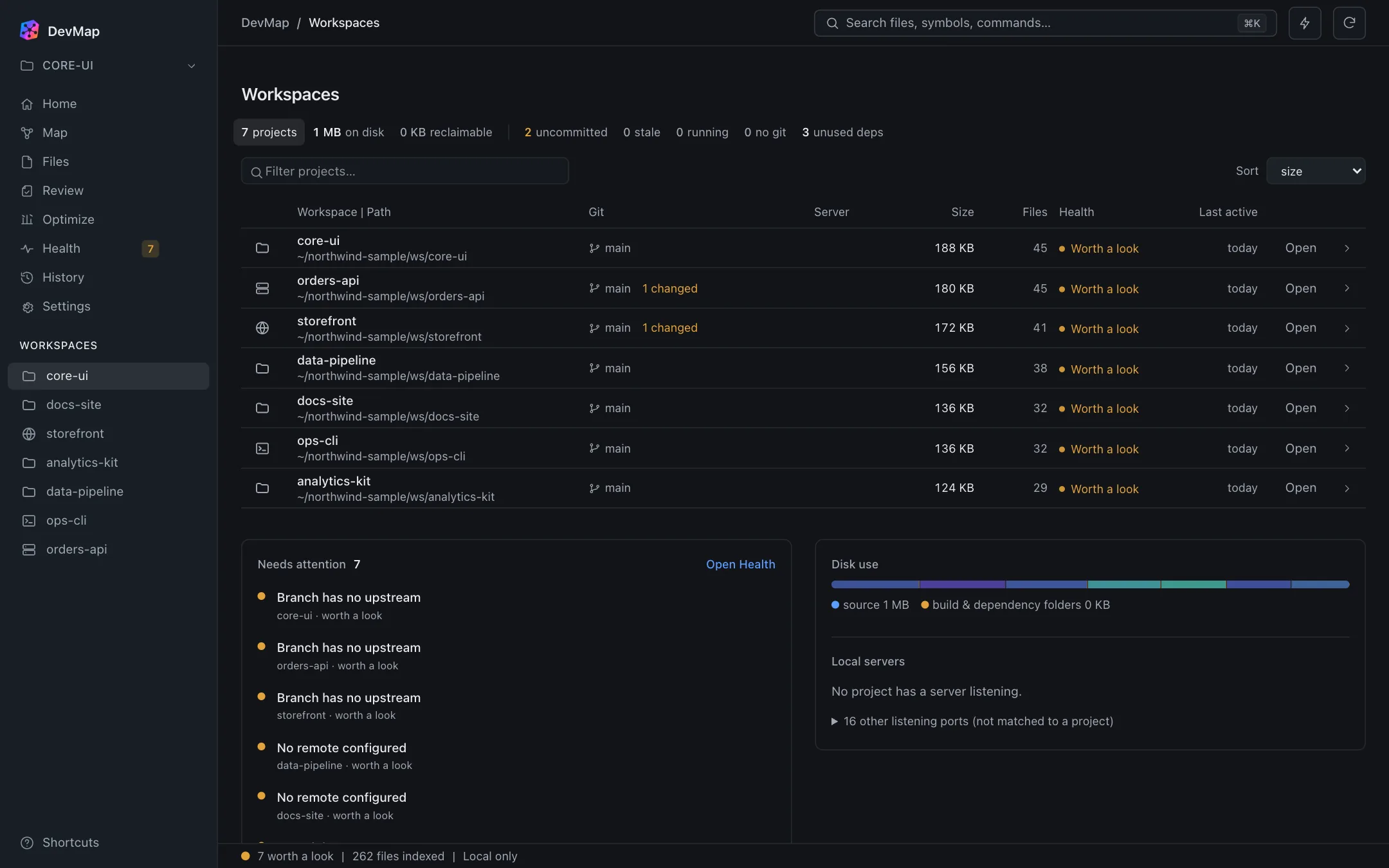
One table of the projects DevMap finds, with git branch and changes, size and health, and a list of what needs attention beneath it.
Explore Workspaces
A native macOS command centre for your projects
DevMap helps you understand, review and manage the development projects on your Mac. It reads what is actually there, shows the evidence, and changes files only through a plan you approve.
Interactive product preview : captured screens, not the live app


This is a screenshot of the real dialog. Nothing in this preview reads or changes any files.
Why DevMap
A development folder grows into dozens of repositories. Which have uncommitted work? What depends on what? What is taking up space? DevMap reads manifests, imports, git state and file contents to answer, and every statement comes with its evidence. Anything it cannot prove is labelled a candidate.
Beyond the basics
Workspaces
One table of the projects DevMap finds, with git branch and changes, size and health, and a list of what needs attention beneath it.
Explore WorkspacesMind Map
Fold, search and open any folder or file, with details and actions for whatever you select.
Explore the Mind Map
Optimize
Each recommendation lists what was detected, the evidence, what could break and how it will be verified. Nothing changes until you approve a preview.
See how changes work
History
The latest git commit and the newest file change for each project, kept distinct. DevMap records nothing itself, and the page says so.

Captured from the current build on a disposable sample workspace.
Workspaces
A single table of the projects DevMap finds, with git branch and changes, size, health and last activity, and a Needs attention list beneath.
Map
Select a project to see what it depends on and what depends on it, with a reason for each link. Weaker links are drawn dashed and called candidates.
Explore the Map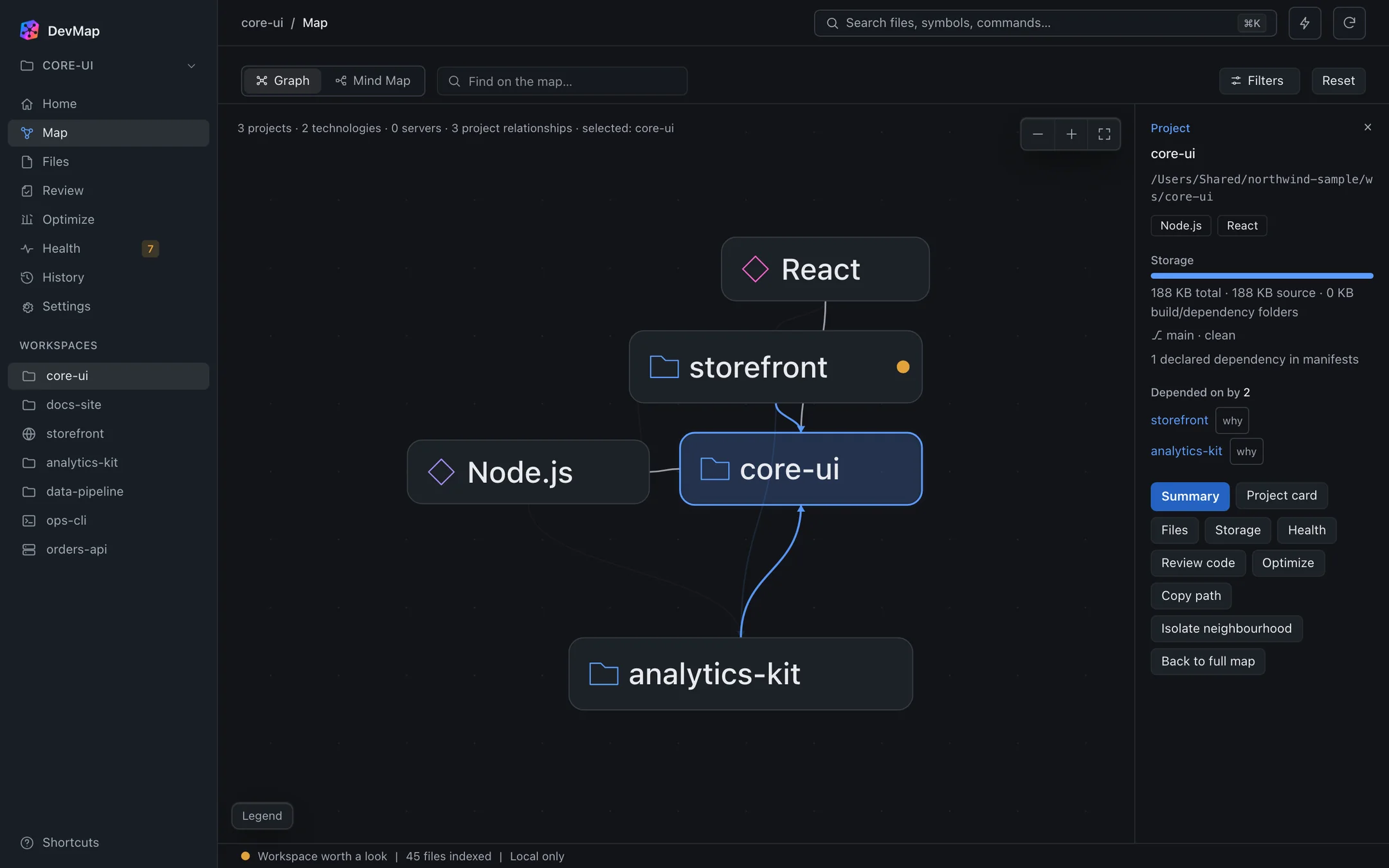
Health
Findings are graded and each one shows the evidence it is based on, so you can check it rather than trust it.
Explore HealthReview
Review reads files locally and never runs your code. Confirmed findings, such as a broken import, are kept apart from candidates, such as an unused file.
Explore ReviewHow changes work
Every file change follows the same model. This is how the app is built, not a promise that nothing can go wrong.
Lists exactly what will be touched.
You see the preview before anything changes.
Item by item, and cancellable.
Checks the result on disk.
Supported while DevMap is open.
Explore
Availability
The current build is signed with an Apple Development certificate and is not notarised, so it is not ready for other Macs. It needs macOS 13 or later on Apple silicon, and has only been tested on macOS 26.5 only. Pricing is proposed (Free, Pro and Enterprise) and nothing can be purchased.