 DevMap
Product · Files
Change files deliberately.
Files is a project browser whose actions go through the same plan-and-approve model as every other change in DevMap.
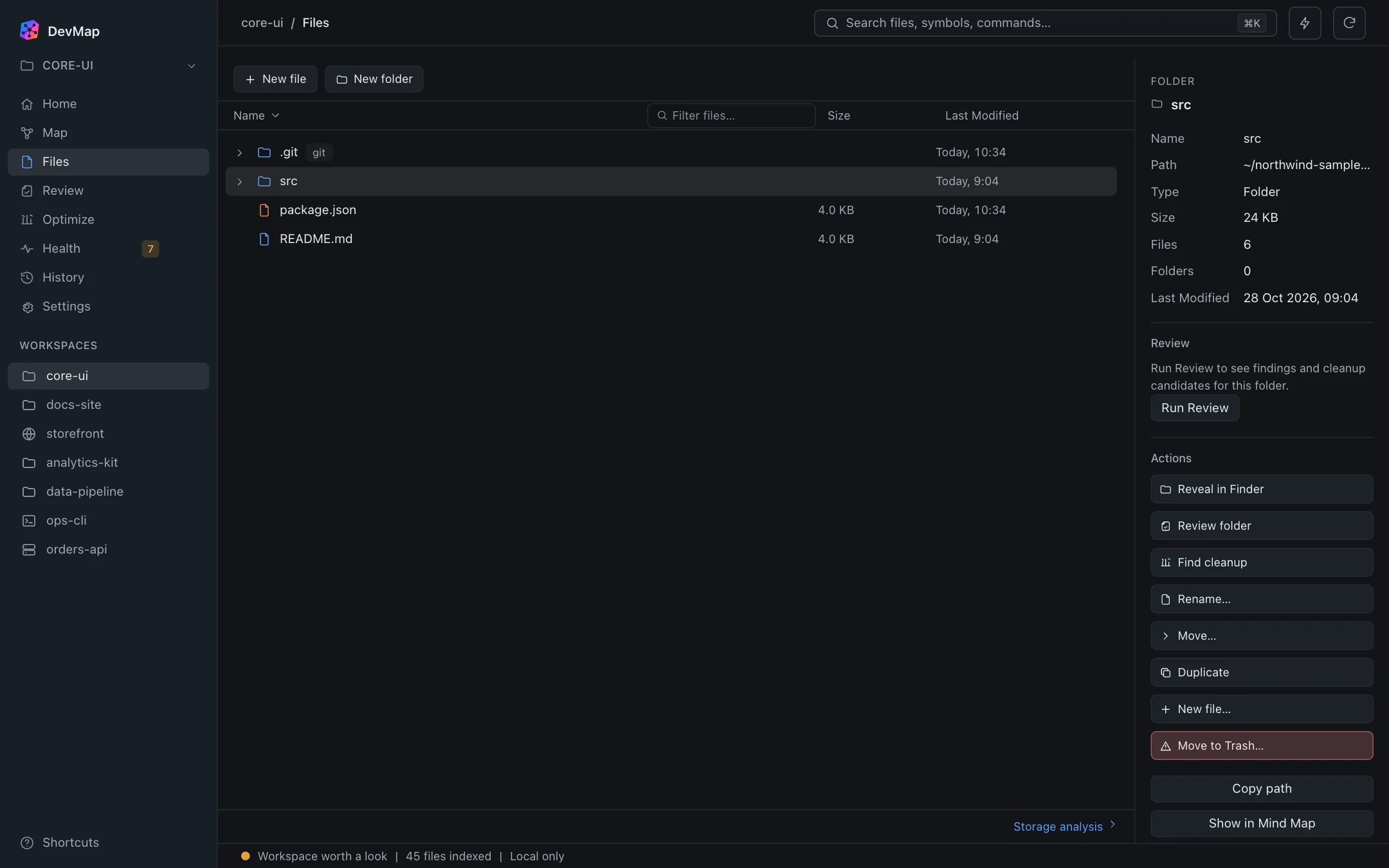
Supported operations
What you can do.
The inspector for any selected item lists the actions available for it.
New file, New folder
Create inside the current location.
Rename, Move
Collisions are shown before anything is applied.
Duplicate
Copies an item next to the original.
Edit
Edits show a diff and detect if the file changed since you opened it.
Move to Trash
Items go to the macOS Trash, not deleted outright. Git-tracked files are flagged.
Reveal, copy path, Review
Reveal in Finder, copy a path, run Review on a folder or open it in the Mind Map.
Safeguards
Why it is built this way.
Preview first
Trash, bulk operations and edits always show a preview that lists exactly what will be touched.
Protected places
Symlinks, .git and the workspace root are protected from these operations, and selecting a folder together with something inside it is rejected up front.
Undo with limits
Undo works while DevMap is open. It will not overwrite, and leaves alone anything you changed after DevMap made it.
When it helps
Tidying a project.
Find an old file, rename it, and move another into place. Each step shows what will change, and the Undo toast is there if you change your mind.
Undo history is kept in memory only. It is lost when DevMap quits, although anything moved to the Trash stays there. File actions are on by default in the desktop app; the browser mode needs an explicit flag. Not every operation can be undone after the fact, so read the preview.