 DevMap
Product · Mind Map
Read a workspace as a tree.
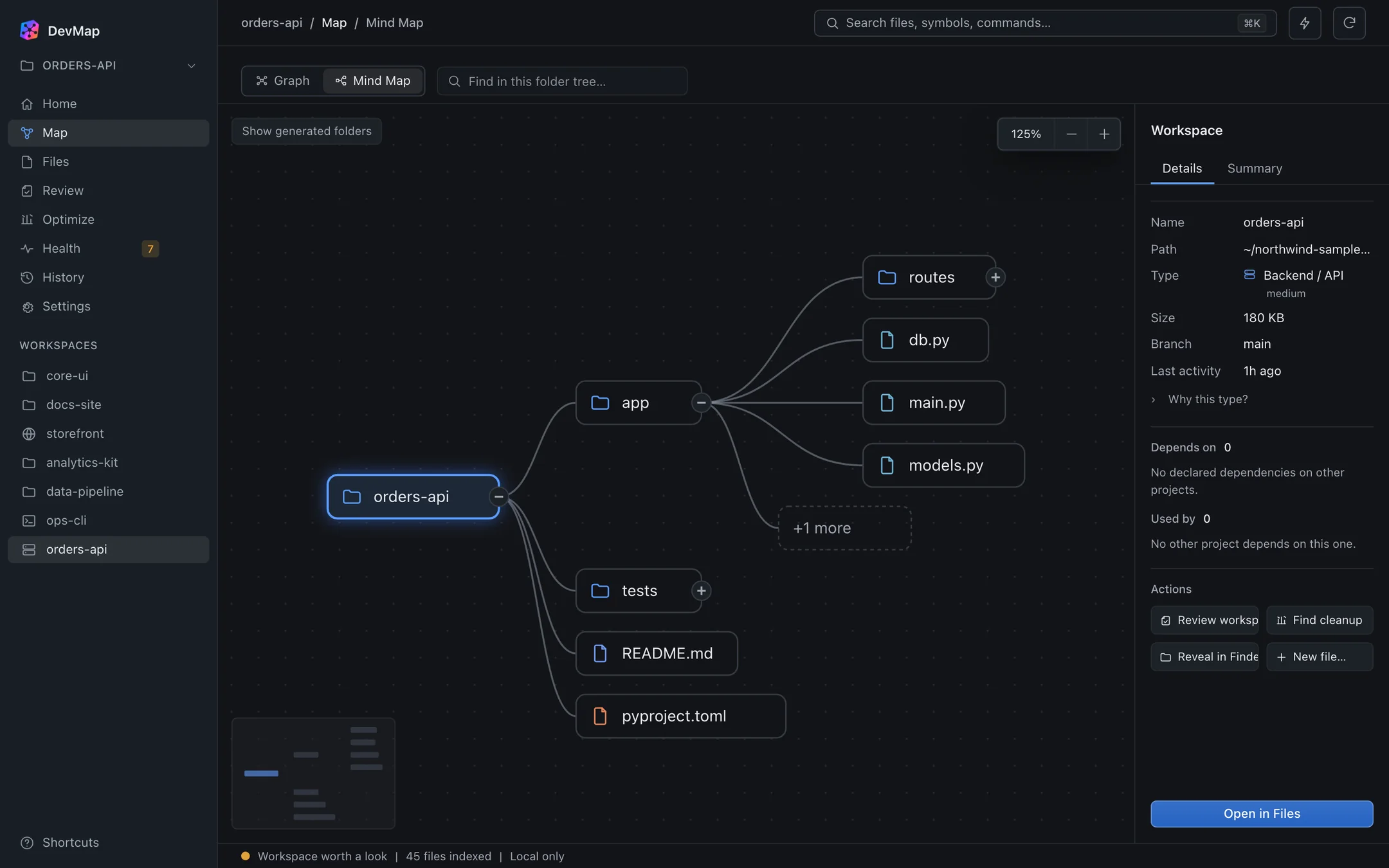
Folders and files are laid out spatially from the root, so you can see the shape of a project before you open any file.
Layout
Shape first, detail on demand.
The tree runs from the workspace root through folders to files. Select any node to see its details and the actions available for it.
Fold and unfold
Collapse branches you do not care about to keep the diagram legible.
Search
Search for a file or folder name, and matches are pinned so they stay visible.
Pan and zoom
Scroll to pan across large workspaces. Hold Cmd or Ctrl while scrolling to zoom.
Act on a node
The details panel offers actions for the selected item, with file changes going through the approval step.
What you get
Why a tree helps
Orientation
See which folders hold most of a project without opening them one by one.
Fast lookup
Search jumps to a match instead of scrolling through directories.
Same actions as Files
The details panel uses the same previewed, approvable actions described in Files.
When it helps
Joining an unfamiliar codebase.
Fold everything except the source folder, search for an entry file, and read the surrounding structure. You have an outline before reading any code.
The Mind Map shows the real folder structure. It does not infer meaning beyond what is on disk.